MemU SDK Guide - Cloud Version Documentation

⚽ Before reading this article, please refer to our documentation Understanding MemU for definitions of key terms used in MemU.
📖 Table of Contents
Installation
Prerequisites
- Python 3.9 or higher
- pip package manager
Installation Steps
# Install via pip
pip install memu-py

# Or install from source
git clone https://github.com/NevaMind-AI/MemU
cd MemU
pip install -e .
Verify Installation
import memu
print(memu.__version__)
Configuration
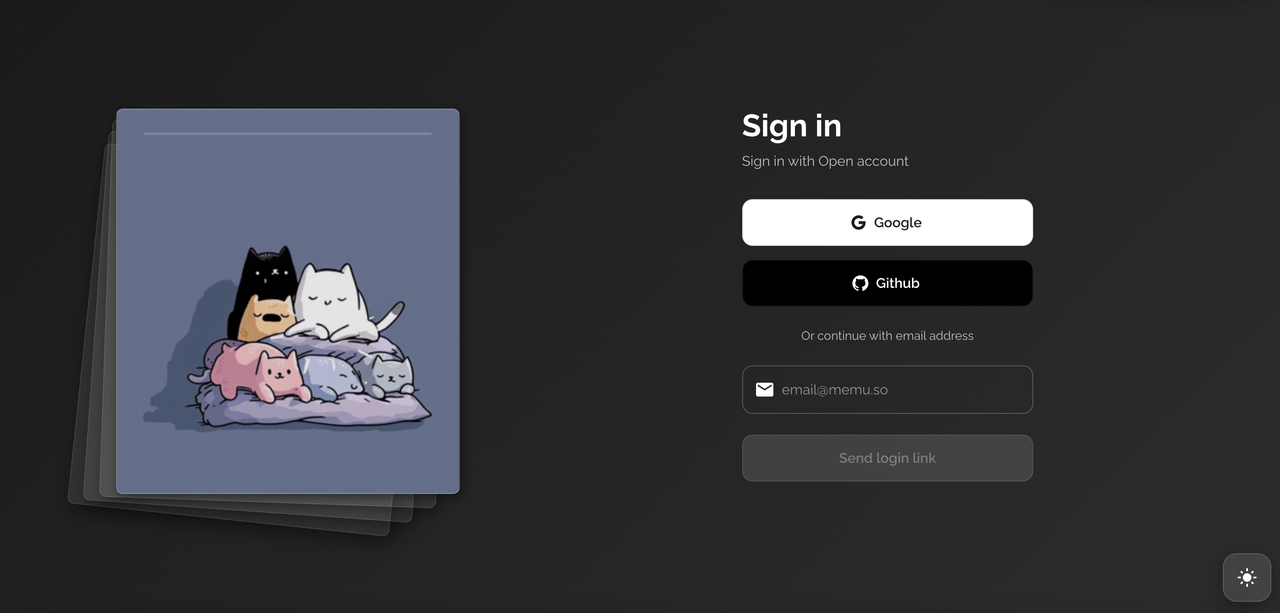
Step 1: Login MemU Platform
Access the MemU platform and sign in with your Open account or GitHub credentials.
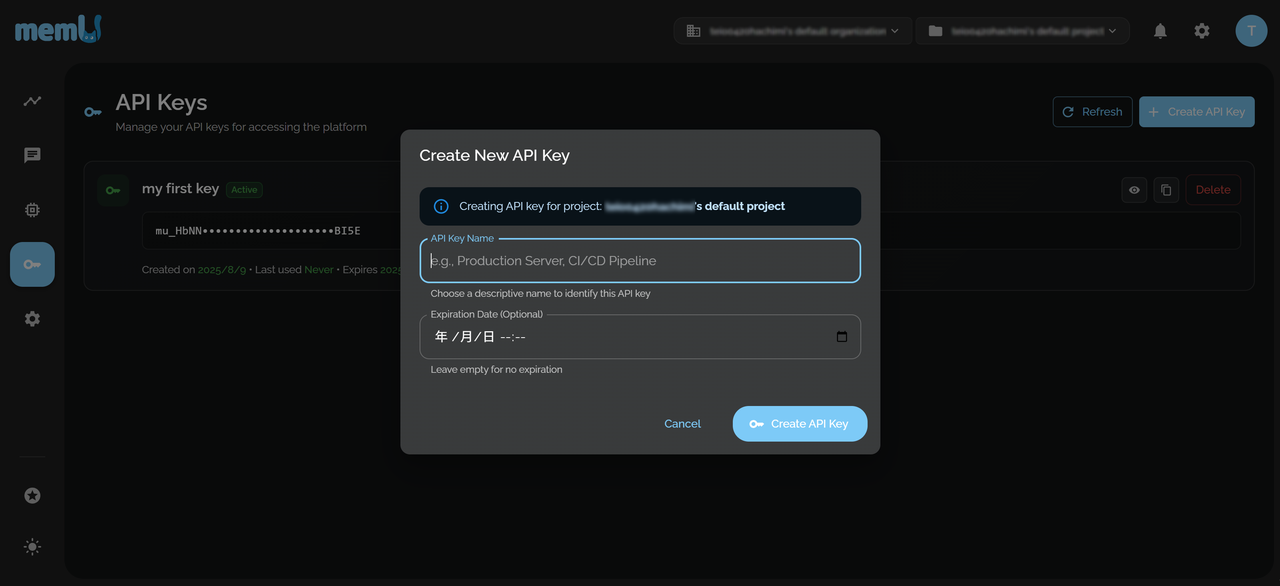
Step 2: Get API Key
Navigate to the API Keys section and create a new API key for your project. Choose a descriptive name to identify this API key.
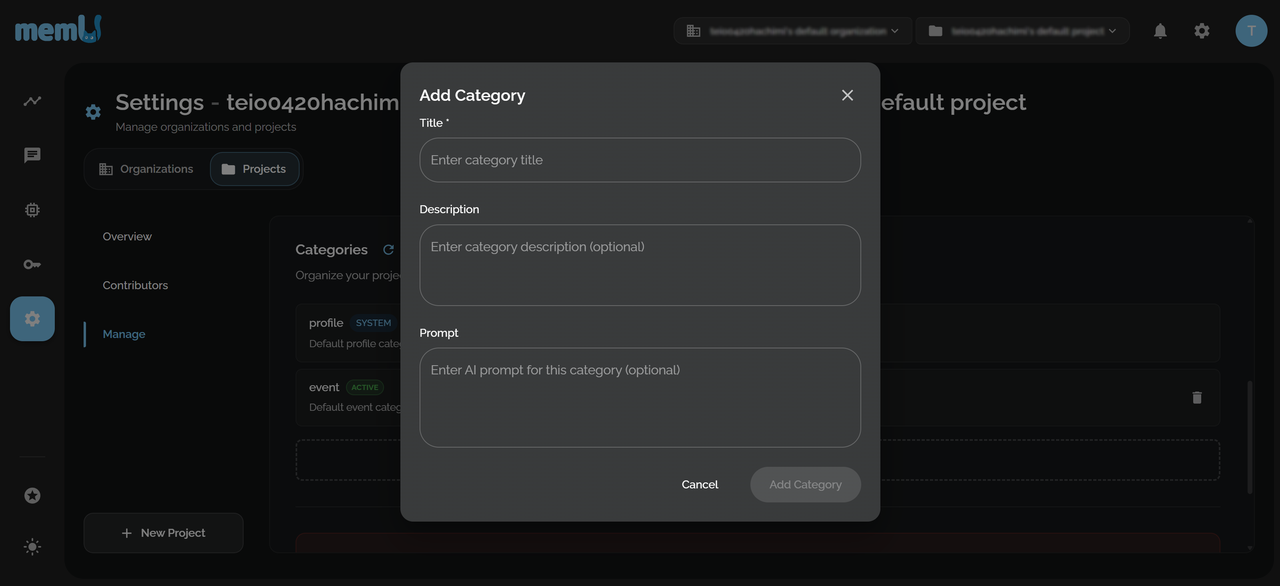
Step 3: Customize Your Memory (Optional)
Configure memory categories based on your specific use case requirements.
What are Memory Categories?
Memory Categories in MemU serve as organizational containers that group related memories together. They function as both logical separators and retrieval optimizers.
Category Types
1. System Categories
Pre-defined categories for common use cases, which include:
profile: Basic personal information (age, occupation, education, family status, etc.)event: Important events in user's life (appointments, meetings, dates, milestones, etc.)
2. Custom Categories
User-defined categories for specific needs. Users can customize which categories would be important to their scenario. For example, in a shopping guide agent, the user's purchase information is very important. Although MemU will automatically generate different categories based on your scenario, you can also manually add "purchase" to force MemU to generate memory information related to purchase records.
3. Cluster Categories
Categories generated through automatic clustering and self-reflection, with no need for human involvement.
Category Best Practices
- Naming Conventions: Use descriptive, consistent naming
- If prompt is not provided, category name will be the main clue for categorizing memory items, choose a good name!
- Alphabet, space, hyphen only
- Good:
purchase,travel plan - Avoid:
@user_stuff
- Category Limits: Keep categories focused (recommended: 5-15 custom categories)
Usage
Memorize User Input
1. Structured Input
Conversation (List)
Each element contains two keys: role and content
[
  {
    "role": "user",
    "content": "I love hiking in mountains. Any safety tips?"
  },
  {
    "role": "assistant",
    "content": "Here are essential mountain hiking safety tips..."
  }
]
Conversation (String)
Use '\n' to combine messages:
user: I love hiking in mountains. Any safety tips?\n
assistant: Here are essential mountain hiking safety tips...
User Activity
[
  {
    "role": "user",
    "content": "Check weather forecasts before heading out..."
  },
  {
    "role": "user",
    "content": "Bring navigation tools: map, compass..."
  }
]
2. Use our SDK to invoke memorization
from memu import MemuClient

memu_client = MemuClient(
    base_url="https://api.memu.so",
    api_key="your memU api key here"
)

receipt = memu_client.memorize_conversation(
    conversation=conversation_messages,
    user_id="user001",
    user_name="John Doe",
    agent_id="agent001",
    agent_name="Assistant",
    session_date="2025-08-08T08:30:00.000+09:00",
)
Metadata
- User ID: The unique id of the user
- User Name: The name of the user, the same name as the message roles
- Agent ID: The unique id of the agent
- Agent Name: The name of the agent, the same name as the message roles
- Session date (optional): The time when the conversation happens, in ISO 8601 format
Confirm Task Status
You will find a task_id in the receipt of memorization:
task_id = receipt.task_id
status = memu_client.get_task_status(task_id)
The task status contains:
- Status code:
status.statusPENDING- Task received and queuedPROCESSING- Processing your memorization taskFINISH- Task completed successfullyFAILURE- Error occurred
- Detail information:
status.detail_info
Retrieve User's Memory
1. Retrieve default categories
Retrieve all memory items in System Categories and Custom Categories.
result = memu_client.retrieve_default_categories(
    user_id="user001",
    agent_id="agent001",
)
Returns:
result.total_categories- total number of categoriesresult.categories- list of memory categories
2. Retrieve related cluster categories
result = memu_client.retrieve_related_clustered_categories(
    user_id="user001",
    agent_id="agent001",
    category_query="outdoor activities",
    top_k=5,
    min_similarity=0.3
)
3. Retrieve related memory items
result = memu_client.retrieve_related_memory_items(
    user_id="user001",
    agent_id="agent001",
    query="hiking safety",
    top_k=10,
    min_similarity=0.3
)
Full Example
See the complete example at: GitHub Repository
import os
import json
import time
from typing import List, Dict
from memu import MemuClient

def load_conversations_from_file(file_path: str) -> List[Dict[str, str]]:
    with open(file_path, 'r', encoding='utf-8') as f:
        conversation = json.load(f)
    return conversation

def wait_for_task_completion(memu_client: MemuClient, task_id: str) -> None:
    """Wait for a memorization task to complete."""
    while True:
        status = memu_client.get_task_status(task_id)
        print(f"Task status: {status.status}")

        if status.status in ['SUCCESS', 'FAILURE', 'REVOKED']:
            break
        time.sleep(2)

def main():
    # Initialize MemU client
    memu_client = MemuClient(
        base_url="https://api.memu.so",
        api_key=os.getenv("MEMU_API_KEY")
    )

    # Load conversation from JSON file
    conversation_file = "conversation.json"
    conversation_messages = load_conversations_from_file(conversation_file)

    # Save conversation to MemU
    print("Processing multi-turn conversation")
    memo_response = memu_client.memorize_conversation(
        conversation=conversation_messages,
        user_id="user001",
        user_name="User 001",
        agent_id="assistant001",
        agent_name="Assistant 001"
    )

    # Wait for completion
    wait_for_task_completion(memu_client, memo_response.task_id)
    print("Conversation completed successfully!")

    # Retrieve memories
    memories = memu_client.retrieve_related_memory_items(
        user_id="user001",
        query="hiking safety",
        top_k=3
    )

    for memory_item in memories.related_memories:
        print(f"Memory: {memory_item.memory.content[:100]}...")

    memu_client.close()

if __name__ == "__main__":
    main()
Get Help
Join our Discord community to get help and connect with other developers building with MemU!
Additional Resources:
- GitHub Repository: https://github.com/NevaMind-AI/memU
- Official Website: https://memu.pro
- API Documentation: https://api.memu.so/docs
- Email Support: contact@nevamind.ai